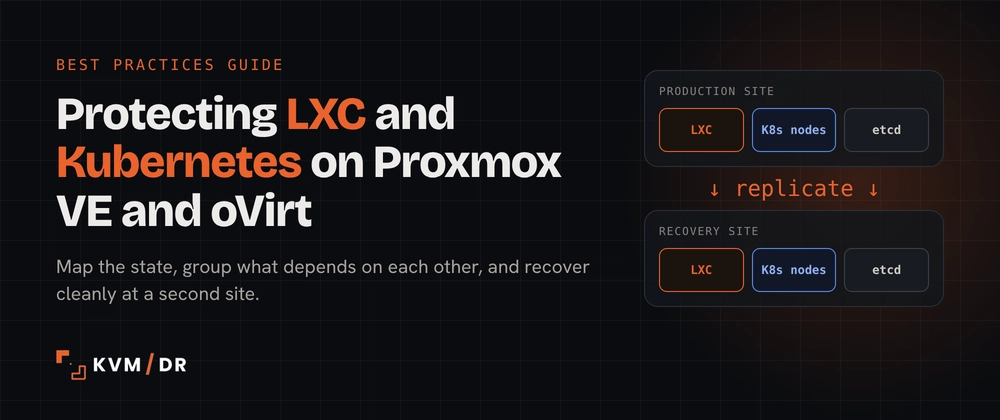
Containers do not fail over the way virtual machines do. "Container" covers two different workloads, and each needs its own protection plan:
- System containers (LXC): a full Linux system sharing the host kernel. Persistent, patched like a small server. Proxmox VE runs these natively beside its VMs.
- Application containers (Docker, Kubernetes): one app per image, replaced rather than patched, with state kept in volumes.
The platforms differ too. Proxmox VE runs LXC beside VMs. oVirt and Oracle Linux Virtualization Manager (OLVM) manage VMs only, so every container there runs inside a VM.
Five steps
- Map where each workload keeps its state. State you have not mapped is state you are not protecting.
- Choose the protection layer. VM or container level recovers whole systems fast; Kubernetes level backups add history and namespace restores. Most clusters need both.
- Group dependent workloads. An app and its database recover to one point in time.
- Prepare the recovery site. Containers depend on their hosts more than VMs do, and Kubernetes depends on its IP addresses.
- Test in an isolated network, on a schedule.
Know where the state lives
| Workload | Where its state lives | What to protect |
|---|---|---|
| LXC container | Root disk, mount points, container config | All volumes and the config, together |
| LXC bind or device mount | Host path outside Proxmox storage | The host path separately, or move data onto a volume |
| Docker in a VM | The VM disks | The VM |
| Kubernetes cluster | etcd, node VM disks, persistent volumes | Cluster state and volume data, to the same point |
| Volumes on external storage | NFS, Ceph or SAN outside the node VMs | The storage itself, or a Kubernetes level backup |
LXC on Proxmox VE
- Keep volumes on snapshot capable storage (LVM thin, ZFS, Ceph RBD). Otherwise backups suspend or stop the container.
- Don't keep data you must recover on bind or device mounts. Proxmox never backs them up. Extra mount points are also excluded unless their Backup option is on.
- Protect the config with the data. It holds mount points, ID mapping, features, network and limits.
- Match the recovery hosts: same
/etc/subuidand/etc/subgidranges for custom ID mapping, same storage IDs, bridges and VLANs, same Proxmox VE major version. - Plan for the shared kernel. Proxmox VE 9 removed cgroup v1; containers with old systemd (CentOS 7, Ubuntu 16.04) won't start. Move those into VMs first.
- Know what built in replication covers. Storage replication is local ZFS only, same cluster, scheduled (15 minutes by default), latest state only. It shortens node recovery but is not a second site or a history.
pve-zsynccan send to hosts outside the cluster. - Keep copies with history at another site, for example Proxmox Backup Server synced to a second server.
- Recover dependent workloads together.
Docker and Kubernetes on Proxmox VE
Run application containers inside VMs. Proxmox recommends a QEMU VM for Docker; OCI image support in Proxmox VE 9.1 is still a technology preview, and Docker inside LXC is fragile across updates. In a VM, runtime, images and volumes all live on the VM disks, so the VM is the unit you protect.
oVirt and OLVM
Both manage VMs only, so Kubernetes always runs in VMs. On OLVM, Oracle Cloud Native Environment builds clusters from OLVM VMs through Cluster API, with an oVirt CSI driver for volumes. Node VMs use a fixed address range with a control plane VIP, so those addresses must carry over to the recovery site.
Two cautions: the oVirt CSI driver documented for OpenShift has no snapshot support (check your version), and OpenShift dropped RHV as a platform in 4.14.
Kubernetes on either platform
- Protect the cluster as one unit. Recover all control plane and worker VMs to the same point. etcd members from different points cannot be mixed.
- Keep node IPs unchanged. They are baked into certificates and etcd config, and kubeadm has no supported way to change them. Use static addresses or DHCP reservations and carry the subnets over.
- Back up etcd on its own schedule. Encrypt snapshots and store them outside the cluster.
- Back up volume data separately. etcd holds no volume contents. Use a tool like Velero: CSI snapshots copied off cluster storage where supported, file system backup where not (less consistent, and no hostPath).
- Know where your CSI driver puts volumes. The Proxmox CSI plugin creates VM disks and moves them between node VMs; VM level protection must follow disks as they are added and removed.
- Make stateful apps consistent. Use the database's own replication, or quiesce related volumes together.
- Keep the cluster definition in Git so you can rebuild from scratch.
- Pause Cluster API during failover (
spec.pausedon the Cluster object) so health checks don't replace recovered nodes. Unpause once healthy.
Recovery order
- Shared services: DNS, NTP, directory, storage, networks
- Databases and other stateful dependencies
- Kubernetes control plane VMs; wait for etcd quorum
- Workers, then applications
- Checks from the outside in: cluster, workloads, the application itself
Test in an isolated network (recovered systems keep their addresses), on a schedule and after every major upgrade, and measure each test against your RPO and RTO. A recovery plan that has not been tested is a guess.
Checklist
- Every workload's state is mapped, including bind mounts and persistent volumes
- Container volumes are on snapshot capable storage
- Nothing you must recover sits on bind or device mounts
- Recovery hosts match: subuid/subgid, storage IDs, bridges, VLANs, Proxmox version
- No container depends on cgroup v1
- Application containers run inside VMs
- Backups with history are kept at another site
- Kubernetes node VMs are protected as one group
- Node IPs carry over to the recovery site
- etcd snapshots are encrypted and stored outside the cluster
- Volume data is backed up off cluster storage
- The cluster definition is in Git
- Cluster API is paused during failover
- Recovery is tested in an isolated network on a schedule
The full guide, with more detail on each step, is a free PDF: https://kvmdr.ai/docs/KVMDR_Container_Protection_Best_Practices.pdf
About the author
- KVMDR builds near sync disaster recovery and continuous data protection for KVM: Proxmox VE, oVirt, OLVM and RHV. We write about changed block tracking, replication, failover and recovering from ransomware. Free homelab licence at kvmdr.ai/community.
Comments
Join the discussionNo comments yet. Be the first to comment.